New update to be deployed on: 30 August 2023
We will be making a system-wide update for Advanced Organisers on 30 August 2023 by Introducing Enhanced User Permissions.
This new update is designed to empower Advanced Organisers to collaborate with external partners more effectively and seamlessly. With Enhanced User Permissions, you can now manage user access and control with greater flexibility, making it easier than ever to work together on your events.
User Roles
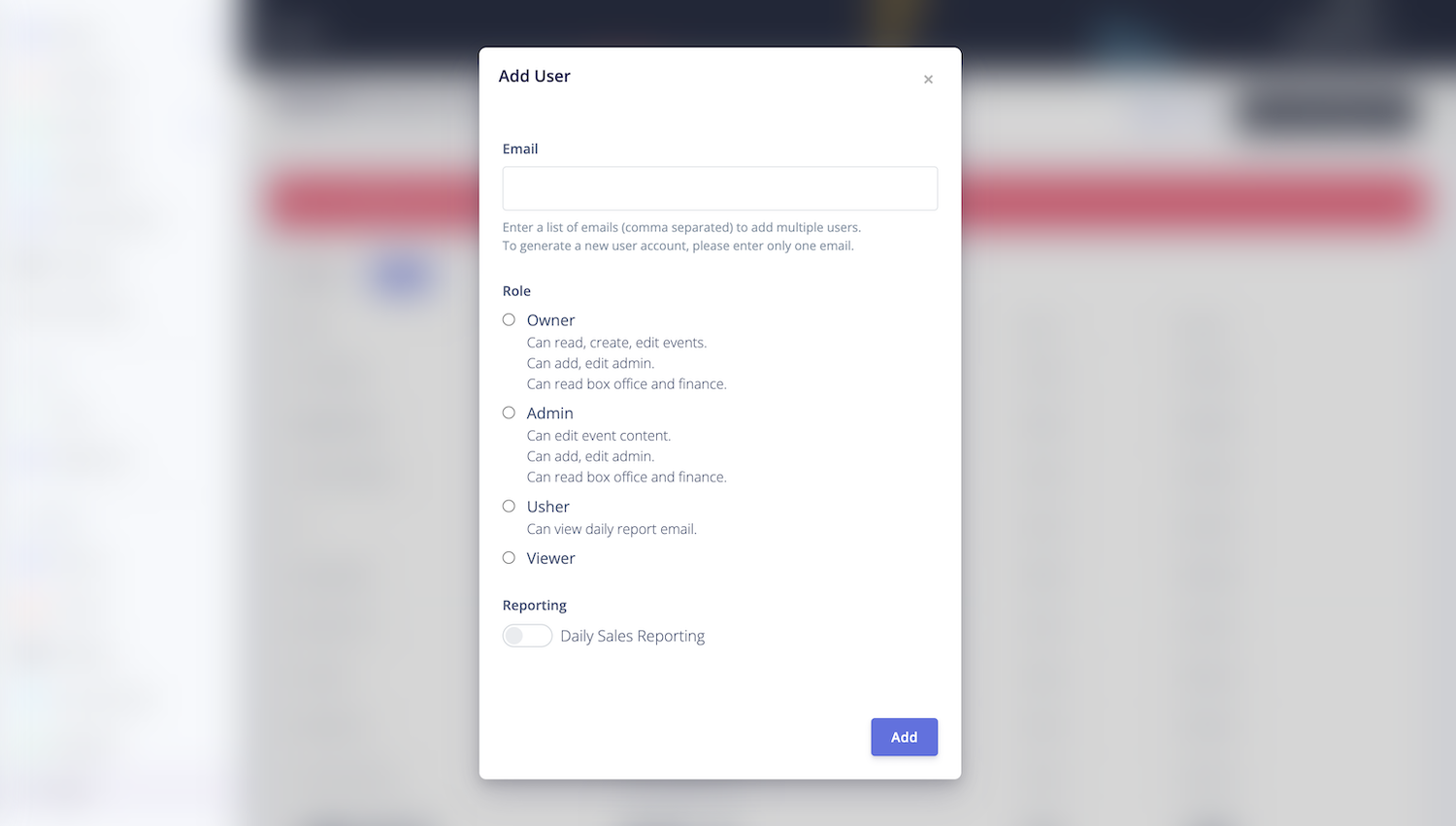
Whether you’re collaborating with freelancers, co-organisers, or sponsors, you now have the ability to assign specific role to each user. This ensures that everyone is on the same page while maintaining the security of your event data.
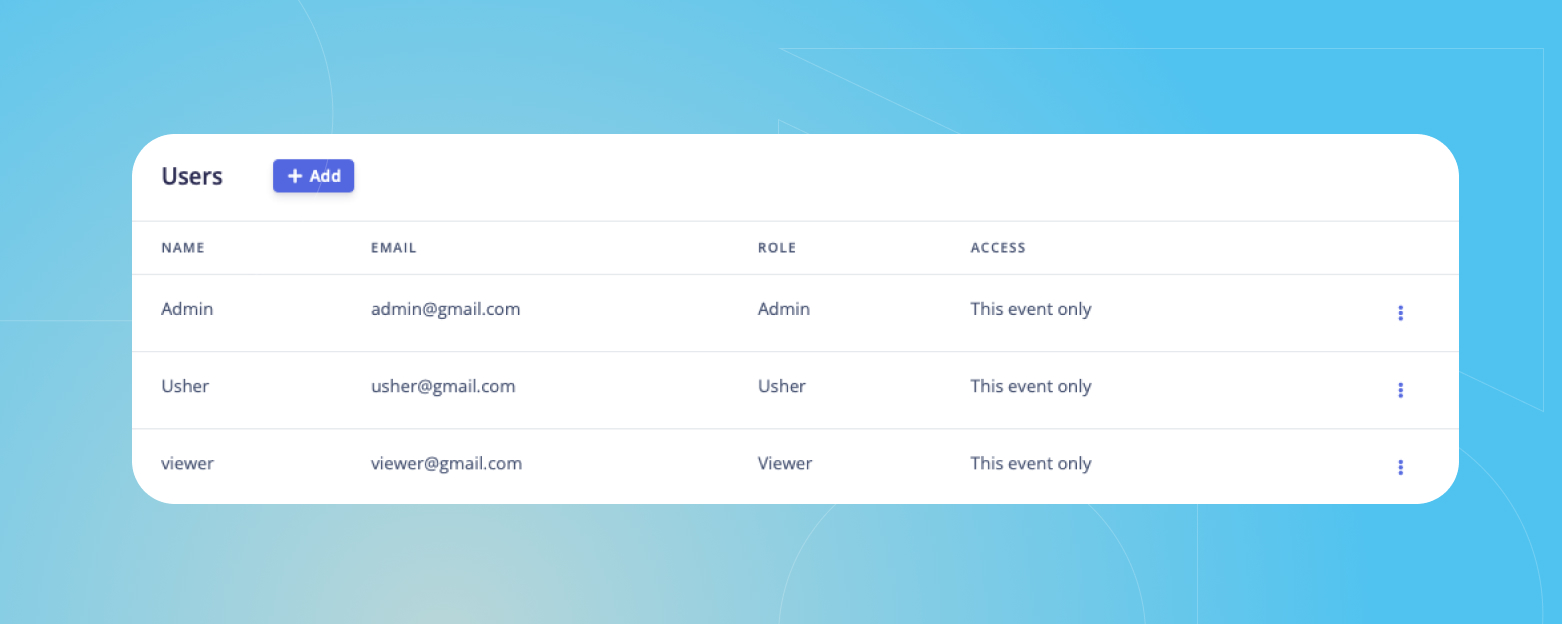
Below, you'll find the permission guide for each role:
| Role | Description | Asignee |
| Owner | Has full access to an event. | Internal staff members of the organisation. |
| Admin | Can manage box office, content, and users. | Project-based freelancers, co-organisers, and collaborators of the event. |
| Usher | Can manage attendees and check-in only. | Ushers of the event. |
| Viewer | Can receive Daily Sales Report email only. | Investor, sponsor, or grant provider. |
How It Works
1. To check a user's role, simply log in to the dashboard, select the respective event, and click on the "Users" tab under "Settings". You'll find a table displaying the users who have access to the event, along with their designated roles.
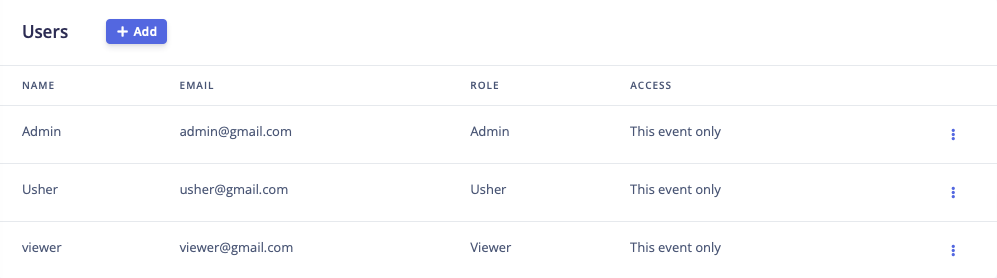
2. To add a new user to an event, simply click the "+ Add" button, input their email address, and choose the role you wish to assign them. For new users to CloudJoi, please include their full name and contact number in the subsequent pop-up field. You can also choose whether to receive the Daily Sales Report email to the designated email address.
3. To add a permanent user to your organisation, kindly email the individual's details including their name, email, contact number, and role to hello@cloudjoi.com. This user will then be granted access to all events under your organisation.
Co-organised Events
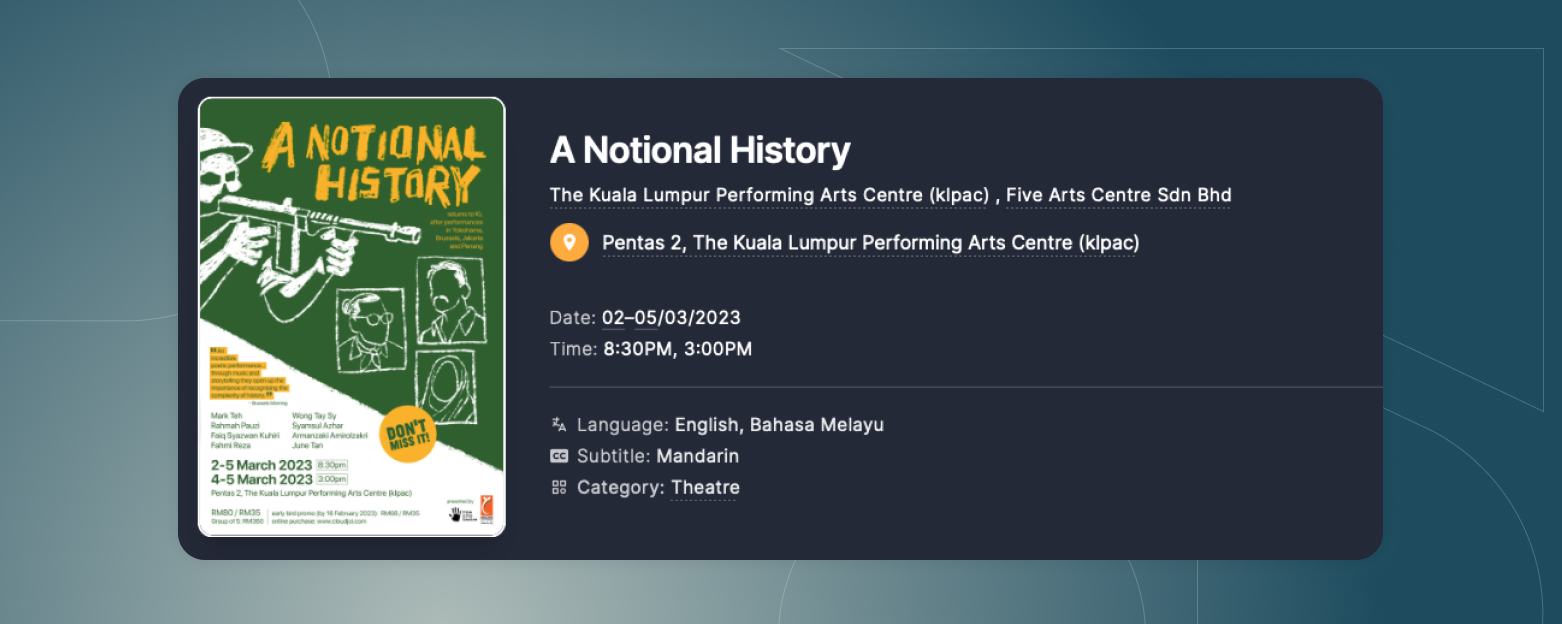
If you're co-producing or co-organising an event with another party, you can now showcase the multiple organisations involved while assigning distinct permissions to different individuals.
One Email to Rule Them All
Gone are the days of receiving multiple emails for Daily Sales Reports from each event. All Daily Sales Reports under the same organisation will be consolidated into a single email.

Support or Questions
For suppport or questions, please reach out to us at hello@cloudjoi.com.
We're here to ensure your event management is exceptional. Stay tuned for more updates as we enhance your event journey with CloudJoi!
Best regards,
The CloudJoi Team
-Large-web.jpg)

-web.jpg)